
How to Code a Sky Remote to Your TV (UK Guide – All Models Explained)
People need to “code” or programme their Sky remote so it can control their television too. This makes life much easier.

Once coded, you can use just your Sky remote to change the volume, mute the sound, and turn your TV on or off. You do not need to keep two remotes on your sofa.
Most popular UK TV brands, like Samsung, LG, Sony, and Panasonic, work well with Sky remotes. This guide will show you how to do it step-by-step, no matter which Sky remote you have.

With more than 12 years of hands-on experience in satellite television, Freeview systems, and UK broadcast technology, Daniel focuses on helping users choose the right satellite receivers, tune Freeview channels, and solve common signal and setup issues across the UK.
 Add as a preferred source on Google
2. What Does “Coding” a Sky Remote Mean?
Understanding Sky Remote Programming
Coding your Sky remote teaches it to talk to your specific TV brand. It is like giving the remote a special password your TV understands.
It is different from pairing. Pairing connects the remote to your Sky box so you can change channels. Programming (or coding) connects it to your TV for basic controls.
Once you code it, your Sky remote can handle your TV’s volume, power (on/off), and mute functions. This means one remote does almost everything.
A key limitation is that it will not control your TV’s menus or settings. You will still need your original TV remote for things like picture adjustments or changing inputs.
3. Which Sky Remote Do You Have?
Identify Your Sky Remote Model
First, find out which Sky remote you own. They look different and set up in slightly different ways.
The Sky Q Touch Remote has a smooth touchpad at the top to swipe through menus. It usually connects to the box using Bluetooth, not infrared. The Sky Q Button Remote looks similar but has a round direction pad with buttons instead of a touchpad.
The older Sky HD Remote is more rectangular and often silver or black. It uses infrared, so you must point it directly at your devices.
The Sky Glass Remote is different. It comes with the Sky Glass TV and controls everything with Bluetooth. It rarely needs manual coding.
Look at the button layout. Check if it has a touchpad or just buttons. This tells you which set of instructions to follow.
4. How to Code a Sky Q Remote to Your TV (Step-by-Step)
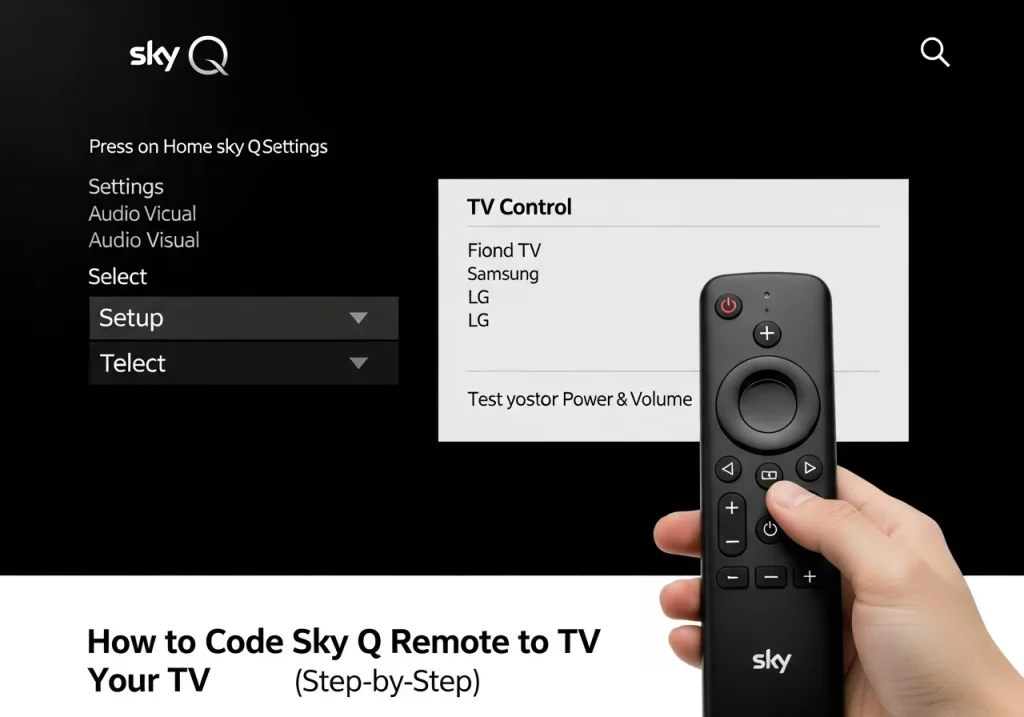
How to Code Sky Q Remote to TV
This method works for both the Sky Q Touch and Sky Q Button remotes. The setup happens through your TV screen.
- First, turn on your television and your Sky Q box.
- Press the Home button on your Sky Q remote.
- Using the direction pad or touchpad, go to Settings.
- Select Setup, then choose Audio Visual.
- Now, select TV Control.
- A list of TV brands will appear. Find and select your TV brand (e.g., Samsung, LG).
- Follow the simple on-screen instructions. The system will usually test the power and volume.
- Finally, test it yourself! Try using the Sky remote to turn your TV volume up and down.
What If My Brand Is Not Listed?
If your TV brand is not on the list, do not worry. You can try the automatic detection option if your TV supports HDMI-CEC (often called AnyNet+ or Simplink). If that does not work, you might need to use the manual code method for older remotes. Most major UK brands from the last 10 years will be listed.
5. How to Code an Older Sky Remote (Sky HD)
How to Code Sky Remote Using TV Codes
For the older Sky HD remotes, you use a manual code. You need to find a special number for your TV brand.
- Turn your TV on.
- On the Sky remote, press and hold the Select button and the Red button together. Hold them until the red light on the remote flashes twice.
- A list of common UK TV brand codes will appear. For example, Samsung is often 020, 064, or 005.
- Enter the 3-digit code for your TV brand using the number buttons.
- Press the Standby button on the Sky remote. Your TV should switch off.
- Press Standby again to turn it back on. Now test the volume buttons. If they work, press Select to save the code.
Finding Your TV Brand Code
You can find a full list of codes on the Sky help website. Search for “Sky remote control codes”. You will see a long list for brands like Samsung, LG (code 020), Sony, Panasonic, and Philips. If the first code does not work, try the next one for your brand from the list.
6. How to Code Sky Remote Without a Code (Auto Setup)
Code Sky Remote Without TV Code
Some Sky remotes can search for the right code by themselves. This is called an auto setup or automatic detection.
You start the process in the Settings > Setup > Audio Visual menu on your Sky Q box. Choose the option that says something like “Auto-detect” or “Find my TV”. The system will send out a series of signals.
The big pro of this method is it is very easy. You do not need to look up any codes. The con is that it does not work with every single TV model.
This method works best with newer TVs that support modern control standards. It is always a great first thing to try.
7. How to Code Sky Remote to TV for Volume Only
Set Sky Remote for TV Volume Control
Sometimes, you only want the Sky remote to control the TV volume. This is a common setup.
On a Sky Q box, you set this in the same Settings > Setup > Audio Visual menu. Under TV Control, you can select “Volume Control” and choose “TV”.
If your volume buttons do nothing, you probably need to code the remote fully first (see the steps above). If you use a separate soundbar, you might need to change the setting to control the soundbar instead of the TV. This often uses a feature called HDMI-CEC, which lets devices talk to each other.
8. Troubleshooting Sky Remote Coding Issues
Sky Remote Not Coding to TV – Fixes
Is your remote not working after coding? Try these simple fixes.
Problem: Volume buttons do nothing.
Fix: Re-run the TV control setup. Make sure you selected the correct TV brand.
Problem: Power button does not turn TV on/off.
Fix: Try a different code for your TV brand from the manual list.
Problem: Remote is not responding at all.
Fix: Replace the batteries with new ones. For Sky Q remotes, try re-pairing it to the box by holding 1 and 3 together.
General Fixes: Make sure nothing is blocking the path between the remote and your TV (for infrared models). Restart your Sky box by unplugging it for 30 seconds. Check for any software updates for your Sky box in the settings menu.
9. Sky Glass Remote vs Sky Q Remote
Sky Glass Remote Coding Differences
The Sky Glass remote is much simpler. It uses Bluetooth to connect to the Sky Glass TV.
Most of the time, it controls your TV automatically. You should not need to enter any codes. The setup happens during the initial installation of your Sky Glass.
You might only need extra setup if you have a separate sound system or projector. For most people with a standard TV setup, the Sky Glass remote works perfectly right out of the box.
10. Tips for Best Sky Remote Experience
Sky Remote Setup Tips
- For older infrared remotes, always point the remote directly at your TV when using power or volume.
- Keep the path between the remote and the TV clear. Do not put things in the way.
- If your TV supports it, turn on HDMI-CEC in your TV’s settings. This can make control smoother.
- Regularly update your Sky box software. Updates can fix remote control problems.
11. FAQs – People Also Ask
Frequently Asked Questions
How do I program my Sky remote to my TV?
For Sky Q, use Settings > Setup > Audio Visual > TV Control. For older remotes, hold Select + Red, then enter your TV’s code.
What if my TV brand isn’t listed?
Try the auto-detect feature. If that fails, search online for “Sky remote control codes” to find a manual code for less common brands.
Can one Sky remote control two TVs?
No. A Sky remote is coded to control one TV at a time. It only works with the TV it is pointed at.
Why won’t my Sky remote control volume?
The remote is likely not coded. Follow the coding steps for your remote model. Also, check you are not trying to control a soundbar without setting it up first.
Do Sky Glass remotes need coding?
Usually not. They set up automatically with the Sky Glass TV. You might only need to adjust settings for a separate sound system.
12. Conclusion
Coding your Sky remote is a simple task. For Sky Q, use the on-screen menu. For older remotes, use the manual code method.
The process is very easy for most UK TVs. Always try the automatic setup in your Sky Q menu first—it does the hard work for you.
With your remote coded, you can finally put that second remote away and enjoy controlling everything with just one. Happy viewing
